Introduction: Every Report Is a Chance to Prevent the Next Incident
The strongest safety cultures share one habit: people report what they see, early and often. A near miss on a loading dock, a minor chemical splash, a slip on a wet floor or an equipment fault caught at shift change all carry valuable lessons, provided they are captured, investigated and acted on.
The scale of the opportunity is clear. U.S. private industry employers reported about 2.5 million nonfatal workplace injuries and illnesses in 2024, an incidence rate of 2.3 cases per 100 full-time workers (BLS, March 2026). The same year, 5,070 workers lost their lives to work-related injuries, one every 104 minutes (BLS, February 2026). The National Safety Council puts the total cost of work injuries at $181.4 billion, or about $48,000 per medically consulted injury (NSC Injury Facts).
Both national figures improved year over year, which shows that disciplined safety programs work. Incident reporting software is one of the most effective tools behind that progress. It makes reporting fast and simple for frontline workers, routes every event to the right people, structures investigations, drives corrective actions to closure and turns individual events into organization-wide insight.
This guide is written for EHS leaders, operations heads, risk managers and compliance teams. You will learn:
- What incident reporting software is, and how it relates to incident tracking and incident investigation software
- Which events to report, including near misses and OSHA-recordable cases
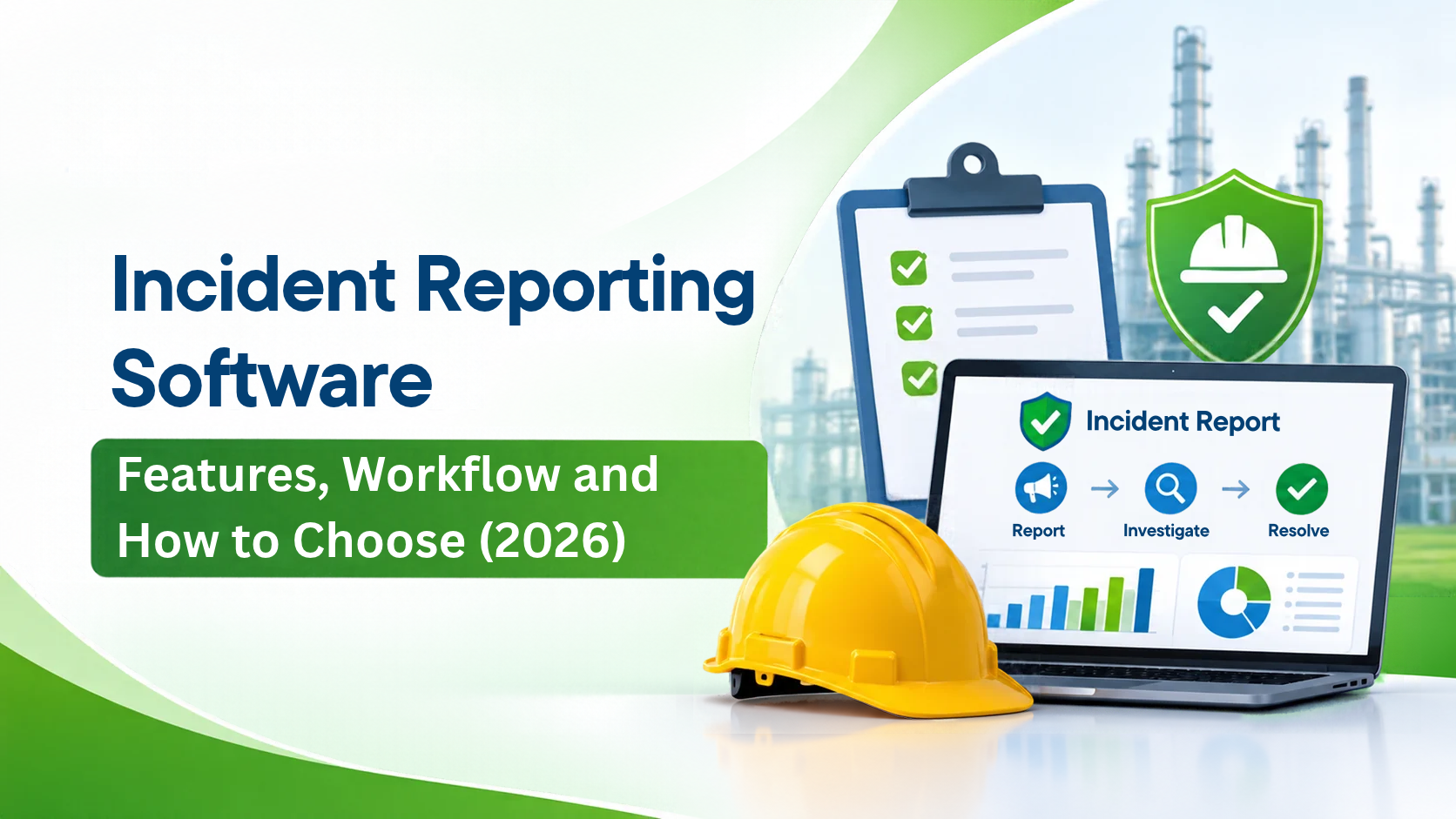
- The complete incident management workflow, from first report to closure
- The 14 features that matter most in 2026
- Proven investigation and root cause analysis methods
- The KPIs and ROI that prove value
- A buyer scorecard, implementation roadmap and the trends shaping 2026
What Is Incident Reporting Software?
Incident reporting software is a digital platform that lets employees, contractors and supervisors record workplace incidents, near misses and hazards the moment they happen, and then manages each event through notification, investigation, corrective action and closure. It replaces paper forms, emails and spreadsheets with one secure, searchable incident reporting system that supports compliance and continuous improvement. See how PrimeEHS incident management brings this full lifecycle together.
Reporting vs tracking vs investigation software
Vendors and buyers use several related terms. Each emphasizes a different stage of the same lifecycle:
| Term | What it emphasizes | Primary users |
|---|---|---|
| Incident reporting software | Fast, simple capture of events from any device, including anonymous and near-miss reports | Frontline workers, contractors, supervisors |
| Incident reporting system software | The complete platform: forms, routing, notifications, records and dashboards | EHS teams and administrators |
| Incident tracking software | Status visibility: who owns each case, what stage it is in, which actions are open and how long they have run | EHS managers, site leaders |
| Incident investigation software | Structured investigation: evidence, witness statements, timelines, root cause analysis and corrective action plans | Investigators, safety engineers, managers |
The most effective platforms combine all four in one connected workflow, so a report captured on a phone becomes a tracked case, a structured investigation and a set of verified corrective actions, with every detail entered just once.
Incident reporting software vs IT incident management
The term "incident" also appears in IT service management, where it refers to outages and service disruptions. This guide focuses on workplace safety, health and environmental incidents: injuries, illnesses, near misses, property damage, spills, releases, vehicle events and security events in physical operations.
What Should an Incident Reporting System Capture?
A mature incident reporting system captures far more than injuries. The broader the reporting, the richer the learning.
| Event type | Examples | Why it matters |
|---|---|---|
| Injuries and illnesses | Cuts, strains, burns, occupational illnesses | Worker wellbeing, OSHA recordkeeping, workers' compensation |
| Near misses | A dropped load that landed clear of people, a forklift close call | The most valuable leading indicator for preventing serious events |
| Hazards and unsafe conditions | Damaged guarding, exposed wiring, blocked exits, spills | Lets teams act before anyone is hurt |
| Unsafe acts and observations | Bypassed procedures, PPE gaps | Supports coaching and behavior-based safety |
| Environmental events | Spills, leaks, releases, permit exceedances | Environmental compliance and community trust |
| Process safety events | Loss of primary containment, safety system activations | Major hazard prevention in high-risk industries |
| Property and equipment damage | Vehicle collisions, equipment breakdowns, fire | Asset protection and insurance claims |
| Vehicle and fleet events | Road incidents, telematics alerts | Driver safety and fleet compliance |
| Security events | Unauthorized access, theft, workplace violence | Protecting people and property |
| Quality events | Product deviations, customer complaints | Connects safety with operational excellence |
Why near misses deserve special attention
Safety research has long shown that serious incidents are preceded by many smaller events and near misses with similar root causes. Every near miss reported is a free lesson. Leading organizations actively celebrate near-miss reporting, set targets for reporting rates and close the loop by telling reporters what changed as a result.
Near misses, hazards and safety observations deliver the most value when they live on one platform. PrimeEHS observation and risk management connects every observation to your risk assessments, and our guide on mobile-friendly EHS risk management software explains why field access matters.
OSHA recordkeeping essentials for U.S. employers
Incident reporting software should make OSHA compliance under 29 CFR 1904 straightforward (OSHA Recordkeeping):
- OSHA Form 301: an injury and illness incident report completed within 7 calendar days of learning of a recordable case
- OSHA Form 300: the log of work-related injuries and illnesses for each establishment
- OSHA Form 300A: the annual summary, posted in the workplace from February 1 to April 30
- Severe injury reporting: fatalities reported to OSHA within 8 hours; in-patient hospitalizations, amputations and loss of an eye within 24 hours
- Electronic submission: covered establishments submit injury and illness data through OSHA's Injury Tracking Application by March 2 each year, with larger establishments in designated industries also submitting Form 300 and 301 data
The software should guide users through recordability decisions (medical treatment beyond first aid, days away, restricted work or job transfer) and generate the forms automatically from incident data.
For a deeper look, read how incident management software supports ISO 45001 and OSHA compliance.
The Incident Management Workflow: From First Report to Closure
Great incident reporting system software guides every event through a consistent, auditable lifecycle. Here are the eight stages and what the software does at each one.
1. Report. An employee or contractor reports the event from a phone, tablet, kiosk, QR code or web form within moments. Smart forms ask only what is relevant to the event type, capture photos, video, voice notes and GPS, and work offline in remote areas. Anonymous reporting encourages people to speak up.
2. Immediate response and notification. Based on severity, location and event type, the system instantly notifies supervisors, EHS leads, medical responders and executives by email, SMS or push notification. Immediate actions such as first aid, area isolation or equipment shutdown are recorded with timestamps.
3. Triage and classification. The EHS team reviews the report, confirms the classification (injury, near miss, environmental, property and so on), assigns actual and potential severity, and decides the depth of investigation required. Recordability for OSHA is assessed here.
4. Investigation. An investigation team is assigned with clear deadlines. Incident investigation software gathers evidence, witness statements, photos, timelines, training records and equipment history in one case file.
5. Root cause analysis. Investigators apply a structured method such as 5 Whys, fishbone (Ishikawa), TapRooT or ICAM to identify immediate causes, contributing factors and underlying system causes.
6. Corrective and preventive actions (CAPA). Each root cause leads to actions with owners, due dates and priorities, following the hierarchy of controls from elimination and substitution through engineering, administrative controls and PPE. Reminders and escalations keep every action moving, and audit and CAPA management keeps them visible across every site.
7. Review, verification and closure. Managers approve the investigation, verify that actions are complete and effective, and close the case with a full audit trail. Required regulatory forms and notifications are generated from the case data.
8. Learn and share. Lessons learned are published as safety alerts across sites, trends feed dashboards and leadership reviews, and reporters receive feedback on what changed. This final step turns a single event into organization-wide improvement.
Workflow tip: Measure the time between each stage. Shorter report-to-notification and investigation-to-closure times are some of the clearest signs of a healthy safety program.
14 Must-Have Features of Incident Reporting Software in 2026
Reporting
- Mobile-first, offline-ready reporting. Native apps for iOS and Android that work in remote plants, mines, pipelines and vehicles, syncing automatically when connectivity returns.
- Quick-report and QR code access. A one-minute report form available from a QR code on site, so contractors and visitors can report instantly through simple guest access.
- Anonymous and confidential reporting. Options that protect reporter identity while still allowing secure follow-up questions.
- Smart, configurable forms. Event-specific fields, conditional logic, body maps for injuries, photo and video attachments, voice-to-text and multilingual support.
Tracking and workflow
- Automated routing and notifications. Rules based on severity, site, event type and business unit that alert the right people instantly.
- Case tracking and status dashboards. Real-time visibility into every open case, owner, stage and due date. This is the heart of strong incident tracking software.
- Configurable workflows and approvals. Multi-step review and sign-off that mirror your organization's governance.
Investigation and action
- Structured investigation tools. Evidence management, witness statements, timelines and guided root cause analysis templates such as 5 Whys and fishbone.
- Integrated CAPA management. Actions linked to root causes, with owners, deadlines, escalations and effectiveness verification.
- Lessons-learned sharing. Safety alerts and bulletins distributed across sites, with read acknowledgment.
Compliance, insight and platform
- Regulatory recordkeeping. Automatic OSHA 300, 300A and 301 forms, electronic submission support and configurable rules for other jurisdictions such as RIDDOR or local regulations.
- Analytics and dashboards. Leading and lagging indicators, heat maps, trend analysis, TRIR, LTIFR and DART rates, with drill-down by site, department and event type.
- Connected EHS modules. Seamless links to inspections, permit-to-work, risk assessments, training records and contractor management, so one event informs the whole safety system.
- Enterprise security and integrations. Single sign-on, role-based access, encryption, audit trails, data residency options and APIs for HRMS, ERP and BI tools.
In PrimeEHS, incident records connect natively with permit-to-work management, observation and risk management, compliance management, management of change, asset management and the learning management system.
AI is now a core expectation. Leading incident reporting software uses AI to auto-classify reports, suggest severity, translate submissions, summarize investigations, recommend root causes and corrective actions, and surface patterns across thousands of records.
Incident Investigation Software and Root Cause Analysis
Investigations are where reporting turns into prevention. The goal is to understand why an event happened at the system level, so the fix protects everyone on every shift.
Matching investigation depth to severity
| Actual or potential severity | Typical investigation level | Lead | Typical target to complete |
|---|---|---|---|
| Low (first aid, minor near miss) | Supervisor review, quick 5 Whys | Line supervisor | 3–5 days |
| Medium (recordable injury, moderate potential) | Structured investigation with RCA | Supervisor plus EHS | 7–14 days |
| High (serious injury, high-potential near miss, significant release) | Formal team investigation | EHS lead and cross-functional team | 14–30 days |
| Critical (fatality or life-altering injury, major process safety event) | Executive-sponsored investigation, often with external specialists | Senior leadership and independent investigator | As required by the event and regulators |
Rating potential severity alongside actual severity is essential. A near miss with fatal potential deserves the same rigor as a serious injury.
Root cause analysis methods
| Method | How it works | Best for |
|---|---|---|
| 5 Whys | Ask "why" repeatedly to move from the event to a system cause | Quick, lower-severity events |
| Fishbone (Ishikawa) diagram | Organizes causes into categories such as people, methods, machines, materials, environment and management | Multi-factor events and team workshops |
| Fault tree analysis | Logic diagram tracing combinations of events that lead to the outcome | Complex equipment and process events |
| TapRooT | Structured, proprietary RCA system with guided root cause trees | Organizations wanting a standardized enterprise method |
| ICAM (Incident Cause Analysis Method) | Examines the state of defences, individual/team actions, task/environment conditions and organizational factors | Mining, energy and high-hazard industries |
| Bow-tie analysis | Maps threats, controls and consequences around a central hazardous event | Process safety and major hazard management |
What great investigation software provides
- Guided templates for each RCA method, so every investigator follows a consistent approach
- Evidence library for photos, videos, documents, sensor data and CCTV links
- Witness statement capture with digital signatures
- Event timelines that reconstruct the sequence of actions and conditions
- Automatic links between root causes and corrective actions
- Human and organizational factors frameworks that look beyond individual actions
- Review and approval workflows with full version history
Strong corrective actions follow the hierarchy of controls. The most durable fixes sit higher in the hierarchy: elimination, substitution and engineering controls outperform administrative controls and PPE. Good incident investigation software prompts teams to consider each level before settling on an action.
Benefits, KPIs and ROI of Incident Reporting Software
The benefits that matter to leadership
| Benefit | How the software delivers it | KPI to track |
|---|---|---|
| Higher reporting rates | Fast mobile, QR and anonymous reporting | Reports per 100 employees, near-miss ratio |
| Faster response | Instant, rules-based notifications | Time from event to notification |
| Better investigations | Guided RCA templates and evidence management | Investigation completion on time (%) |
| Effective corrective actions | Linked CAPA with escalations and verification | Action closure rate, average days to close |
| Stronger compliance | Automatic OSHA forms and audit trails | On-time regulatory submissions |
| Fewer repeat incidents | Trend analysis and lessons-learned sharing | Repeat incidents by cause and site |
| Enterprise visibility | Real-time dashboards across sites | Leading and lagging indicator trends |
| Lower cost of risk | Prevention, faster claims handling and better data for insurers | Workers' compensation costs, insurance premiums |
Leading and lagging indicators
Leading indicators (forward-looking): near-miss reports, hazard reports, investigation timeliness, action closure rate, safety observations completed.
Lagging indicators (outcome-based): TRIR, DART rate, LTIFR, severity rate, fatalities.
Two standard U.S. formulas every incident tracking software should calculate automatically:
TRIR = (Number of OSHA recordable cases × 200,000) / Total hours worked
DART rate = (Cases with days away, restricted work or transfer × 200,000) / Total hours worked
The 200,000 figure represents 100 full-time employees working 40 hours a week for 50 weeks, which makes rates comparable across organizations and with the national BLS benchmark of 2.3 cases per 100 workers.
Building the ROI case
With the NSC estimating about $48,000 per medically consulted work injury (NSC Injury Facts), preventing even a few injuries a year can fund an enterprise incident reporting platform. Add the value of:
- Hours saved on paperwork, data entry and manual report building
- Faster, better-documented workers' compensation claims
- Reduced exposure to OSHA penalties, which reach $16,550 per serious violation and $165,514 per willful or repeat violation in 2026 (OSHA)
- Better data for insurance negotiations
- Higher productivity from fewer disruptions
Most organizations see a clear payback within the first year.
How to Choose the Right Incident Reporting Software
Start with your requirements
Before speaking with vendors, document:
- The event types you need to capture, and the regulations you report under (OSHA, EPA, state plans, RIDDOR or other international rules)
- Number of sites, users, contractors and languages
- Connectivity conditions in the field
- Your investigation and approval process, including who signs off at each severity level
- Systems to integrate: HRMS, ERP, payroll, insurance and BI
- Security, data residency and hosting requirements
Buyer's evaluation scorecard
| Criterion | What great looks like | Weight |
|---|---|---|
| Ease of reporting | A frontline worker files a report in about a minute, on any device, online or offline | 20% |
| Workflow configurability | EHS teams adjust forms, rules and approvals themselves | 15% |
| Investigation and CAPA depth | Guided RCA, evidence management and verified corrective actions | 15% |
| Compliance and recordkeeping | OSHA 300/300A/301 automation and support for other jurisdictions | 15% |
| Analytics | Leading and lagging indicators, drill-downs and benchmarking across sites | 10% |
| Connected EHS suite | Native links to inspections, permits, risk assessments, training and contractors | 10% |
| Security and integrations | SSO, role-based access, encryption, audit trails and open APIs | 10% |
| Vendor partnership | Industry experience, implementation support, training and product roadmap | 5% |
Questions to ask every vendor
- Can you demo a full workflow using one of our real incident scenarios?
- How long does a typical frontline report take to complete on mobile?
- How does anonymous reporting work, and how do investigators follow up?
- How are OSHA recordability decisions supported and forms generated?
- Which root cause analysis methods are built in?
- How do corrective actions connect to inspections, training and risk assessments?
- What integrations come out of the box?
- Where is our data hosted, and which security certifications do you hold?
- What does implementation look like for an organization of our size?
Standalone tool or unified EHS platform?
A standalone incident app can be quick to launch for a single site. Organizations with multiple sites and broader EHS programs typically gain the most from a unified EHS platform, where incidents, inspections, permits, risk assessments, training and CAPA share one data model and one set of dashboards. That shared foundation reveals connections between events and controls that separate tools keep apart. Explore the top benefits of implementing EHS software to learn more.
Implementing an Incident Reporting System: A 5-Phase Roadmap
Phase 1: Design (weeks 1–3)
- Agree on event categories, severity matrix and investigation levels
- Map notification rules and approval chains for each site and business unit
- Standardize forms, keeping the initial report short and the investigation detailed
Phase 2: Configure and integrate (weeks 3–7)
- Configure forms, workflows, dashboards and OSHA recordkeeping
- Integrate HRMS for employee data, SSO for access and BI for reporting
- Migrate historical incident data that supports trend analysis
Phase 3: Pilot (weeks 7–11)
- Launch at one or two representative sites
- Train supervisors and investigators in depth, and frontline teams in a short, hands-on session
- Gather feedback weekly and refine forms and rules
Phase 4: Roll out (months 3–6)
- Expand site by site with local champions
- Place QR codes at key locations for instant reporting
- Launch leadership dashboards with clear targets for reporting and closure
Phase 5: Sustain and improve (ongoing)
- Review leading indicators monthly in EHS and operations meetings
- Share lessons learned across sites
- Extend into inspections, observations, permits and risk management on the same platform
Building a Strong Reporting Culture
Technology makes reporting easy; culture makes it happen. These practices drive consistently high reporting rates:
- Lead from the top. Leaders thank people for reporting, especially near misses, and talk about reports in every safety meeting.
- Make reporting effortless. One-minute mobile forms, QR codes, voice input and local languages remove friction.
- Offer anonymity and protection. Anonymous options and a clear commitment to fair treatment build trust.
- Close the loop. Tell every reporter what happened as a result of their report. Visible action is the strongest motivator.
- Focus on systems. Investigations that look at processes, equipment and organizational factors encourage openness.
- Celebrate leading indicators. Recognize teams for near-miss reporting and fast action closure alongside injury-rate goals.
- Align with OSHA's employee protection provisions. U.S. employers must have a reasonable reporting procedure and protect employees who report injuries and illnesses under 29 CFR 1904.35.
Pair your reporting program with targeted training through a learning management system, and keep safety meetings action-focused with EHS meeting management.
Incident Reporting Trends for 2026
1. AI-assisted intake and classification. Workers describe an event in their own words, by voice or text, in any language. AI structures the report, suggests the category and potential severity, and flags events that need urgent escalation.
2. AI-powered investigation support. Generative AI summarizes evidence, drafts timelines, suggests likely root causes based on similar past events and recommends corrective actions aligned with the hierarchy of controls, with investigators making every final call.
3. Serious injury and fatality (SIF) prevention. Leading organizations now classify every event by its SIF potential and focus investigation resources on high-potential events, whatever the actual outcome. Software that flags SIF potential automatically is becoming standard.
4. Predictive safety analytics. Combining incident, inspection, training, permit and workforce data helps predict where the next serious event is most likely, so leaders can act before it happens.
5. Computer vision and sensor-triggered reports. Cameras and IoT sensors detect events such as forklift near misses, PPE gaps or gas readings and create draft incident reports automatically for human review.
6. Connected worker technology. Wearables, lone-worker devices and smart PPE send alerts and location data directly into the incident reporting system during emergencies.
7. Unified EHS and ESG data. Incident data increasingly feeds ESG reporting on workforce health and safety, making accurate, auditable records a board-level priority. Platforms that combine safety data with carbon accounting and energy, water and waste tracking simplify integrated ESG disclosure.
Why EHS Teams Choose PrimeEHS for Incident Reporting
PrimeEHS is an enterprise EHS platform built for organizations running complex, high-hazard and multi-site operations. Its incident management capabilities sit inside a connected EHS suite, so every report strengthens the wider safety and compliance program.
What PrimeEHS brings to your incident management program:
- Fast, mobile incident reporting for employees and contractors, with photos, location and quick-report options
- Configurable workflows and instant notifications that route every event to the right people by severity, site and event type
- Structured investigations with evidence capture, witness statements and root cause analysis
- Closed-loop corrective actions with owners, due dates, escalations and verification
- Connected EHS modules, linking incidents with inspections, permit-to-work, audits and observations
- Real-time dashboards for leading and lagging indicators across every site
- Built for industrial environments, with proven experience in oil and gas, refining, utilities, manufacturing and FMCG
PrimeEHS supports high-hazard sectors including oil, gas and refinery, power, chemicals and fertiliser, construction and infrastructure, metal and mining and automobiles.
Frequently Asked Questions
What is incident reporting software?
Incident reporting software is a digital platform for recording workplace incidents, near misses and hazards, and managing each one through notification, investigation, corrective action and closure, with dashboards and compliance records built in.
What is the difference between incident reporting and incident tracking software?
Incident reporting focuses on capturing events quickly and accurately. Incident tracking software focuses on visibility after the report: case ownership, status, deadlines and open actions. Leading platforms combine both in one incident reporting system.
What does incident investigation software do?
Incident investigation software structures the investigation: it collects evidence and witness statements, builds timelines, guides root cause analysis using methods such as 5 Whys or fishbone, and links root causes to corrective actions.
Can employees report incidents anonymously?
Yes. Most modern incident reporting system software offers anonymous or confidential reporting, often through QR codes or web links, with secure ways for investigators to ask follow-up questions.
Does incident reporting software help with OSHA compliance?
Yes. Strong platforms guide recordability decisions, generate OSHA Forms 300, 300A and 301 automatically, track reporting deadlines for severe injuries and support electronic submission through OSHA's Injury Tracking Application.
Why are near misses important to report?
Near misses share root causes with serious incidents. Reporting and investigating them lets teams fix hazards before anyone is hurt, which makes near-miss reporting one of the most valuable leading indicators in safety.
How long does implementation take?
A focused pilot typically goes live in 6–10 weeks, with a multi-site rollout completed within 3–6 months, depending on the number of sites, workflows and integrations.
Which KPIs should we track?
Track leading indicators such as near-miss reports, investigation timeliness and action closure rates, alongside lagging indicators such as TRIR, DART rate and LTIFR.
Conclusion
Incident reporting is where a safety culture becomes visible. The right incident reporting software makes it effortless for anyone to speak up, routes every event to the right people within moments, guides investigations to real root causes and drives corrective actions through to verified closure.
For EHS and compliance leaders in 2026, the opportunity is to move beyond recording incidents to learning from every single one, using near misses, trends and AI-assisted insight to prevent the next serious event.
Ready to strengthen your incident management program? Book a PrimeEHS demo to see connected incident reporting, investigation and corrective action in action.
Sources
- BLS, 2.5 million workplace injuries and illnesses in private industry in 2024 (March 2026)
- BLS, Census of Fatal Occupational Injuries 2024 (February 2026)
- National Safety Council, Injury Facts: Work Injury Costs
- OSHA, Injury and Illness Recordkeeping and Reporting Requirements
- OSHA, 2026 Annual Adjustments to OSHA Civil Penalties